Abstract
A small portfolio had outgrown its WordPress/AWS setup in maintenance burden, not in technical needs. The project rebuilt it as a static Astro site, preserved the article structure, moved source files into GitHub, deployed through Cloudflare Pages, and retired the old AWS side.
Results
The portfolio now runs as a static site with versioned project files, stable pages, Cloudflare-managed delivery, and the former $30 AUD/month ($360 AUD/year) AWS cost removed for this use case.
Introduction
A personal portfolio can become too complicated by accident. You buy a domain, make a small site, move it once, keep the old system alive, and then years later a small portfolio is still attached to a server bill: $30 AUD/month, or $360 AUD/year.
That was the shape of this project. The portfolio already existed. It had just been moved around long enough that the hosting became bigger than the site: a few project articles and a contact page carried by a WordPress/AWS setup.
The planning problem was quiet: every temporary choice became part of the permanent architecture. A new project article should be a file and a few images, not a reason to maintain a CMS server. The rule became simple: do not multiply entities. Make the difficult thing simple, then make the simple thing easy to maintain.
The clean question
The answer was small. The site needed a homepage, project pages, images, a contact page, stable URLs, and a simple way to expose project data. It did not need a database, a CMS, PHP, a long-running virtual machine, or server maintenance.
So the project became a reduction exercise: keep the public value, remove the moving parts, and make every future edit visible in code.
Evidence used
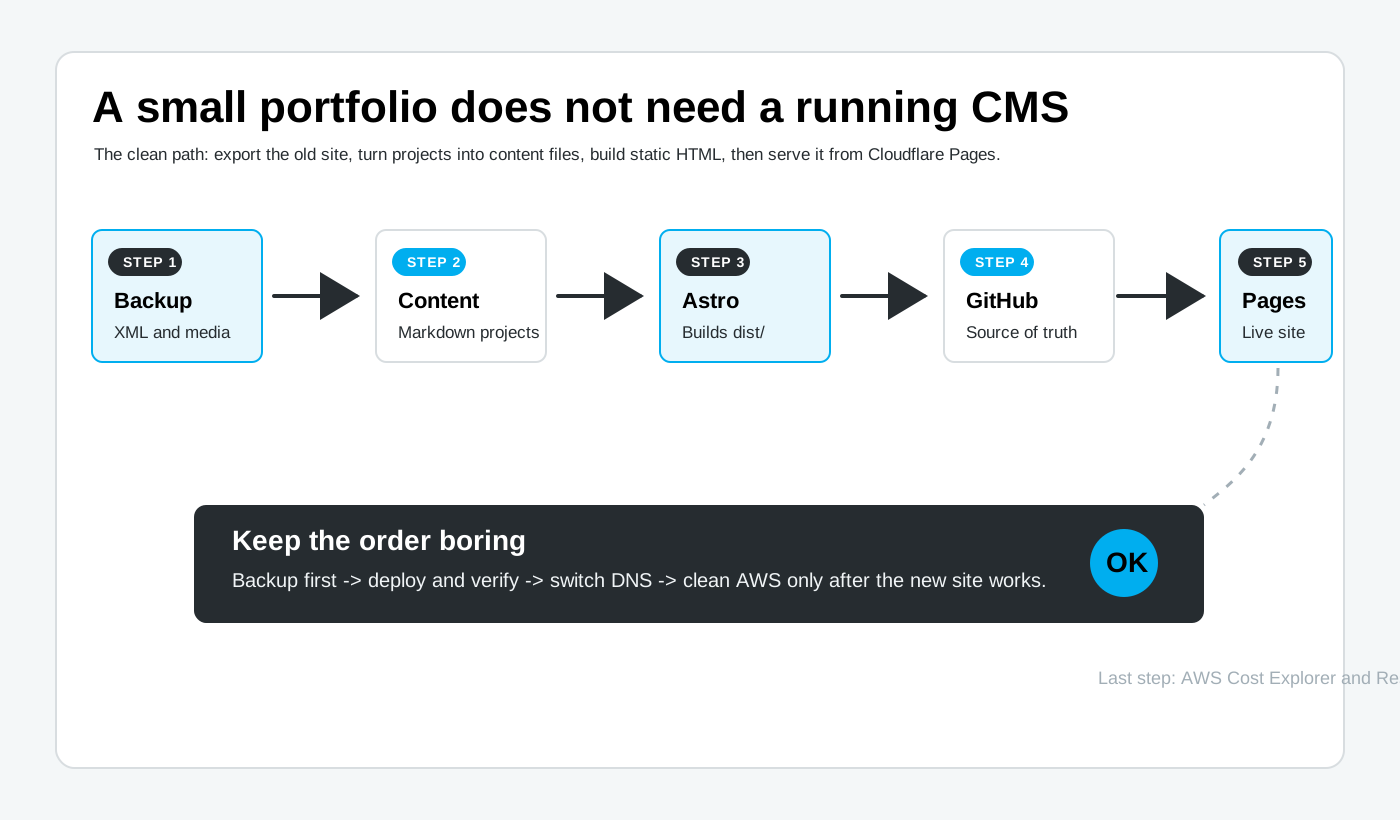
The work started with evidence, not guesses. The old site, the WordPress export, the media backup, the local repository, and the live domain each answered a different question.
| Input | What it showed | Decision it supported |
|---|---|---|
| Live WordPress site | A small portfolio with Home, Projects, Contact, and a handful of project pages | The site could be rebuilt as static pages |
| WordPress XML export | Project titles, body content, dates, slugs, tags, and links | Content could move into Markdown/MDX files |
| Media backup | Images and PDF assets used by the old articles | The public visual record could be preserved |
| Legacy theme files | The typography, spacing, image blocks, header, footer, and project layout | The migration could stay visually close to the source site |
| Cloudflare, Astro, and AWS docs | The new site could be built to dist, deployed from GitHub, and checked before AWS cleanup | The migration could be verified before AWS was removed |
The risky part was simple: back up first, switch later, delete last. The old AWS setup stayed intact until the static site was visible, the domain was working, and the one-day observation window had passed.
Method: from CMS to static site
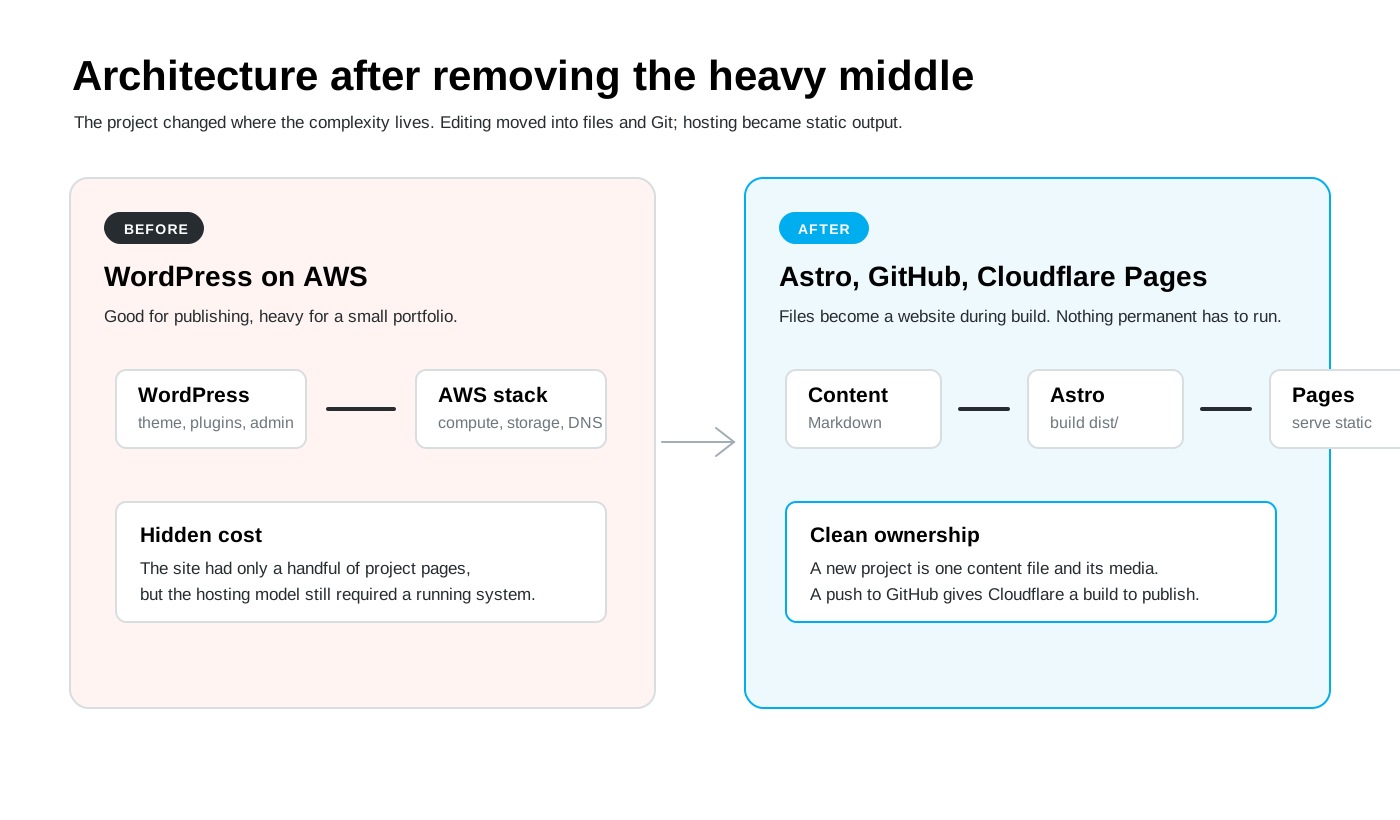
The method was deliberately plain. I did not try to create a new publishing platform. I kept the article format, the media, and the domain goal, then changed the machinery underneath.
Before touching hosting, the WordPress content and media were exported. This gave the project a recovery point and made the old AWS setup less frightening: the content was no longer trapped inside a live CMS.
- Export WordPress content to XML/WXR
- Save the media library as a ZIP
- Keep the live AWS site untouched until the new site is proven
Astro was used as a static site generator. In this project, it has one job: turn project files, layouts, and CSS into static output. The project articles now live under src/content/projects, and the old visual language lives in src/styles/legacy-gis.css.
- Each project becomes one Markdown/MDX content file
- Frontmatter holds title, subtitle, description, dates, tags, and images
- The same content feeds the project pages, tag pages, and JSON endpoints
The migration kept the old WordPress article rhythm: a large title, abstract and results blocks, narrow text columns, wide image blocks, and simple tables. Plain Markdown images were avoided because the legacy CSS hides images inside text content. Images use the existing ImageBlock structure instead.
The local build uses npm run build. Astro writes the generated site to dist, including project pages and the read-only JSON endpoints. This matches Cloudflare's Astro guide, and Astro's content collection model fits the project archive.
- /projects lists project articles
- /projects/[slug] renders individual projects
- /api/projects.json exposes the project index
- /api/tags.json exposes the tag index
Cloudflare Pages supports GitHub and GitLab repositories through its Git integration. This project uses GitHub because the repository already existed there. Cloudflare runs the build and publishes the dist directory. The live domain now returns an Astro page through Cloudflare.
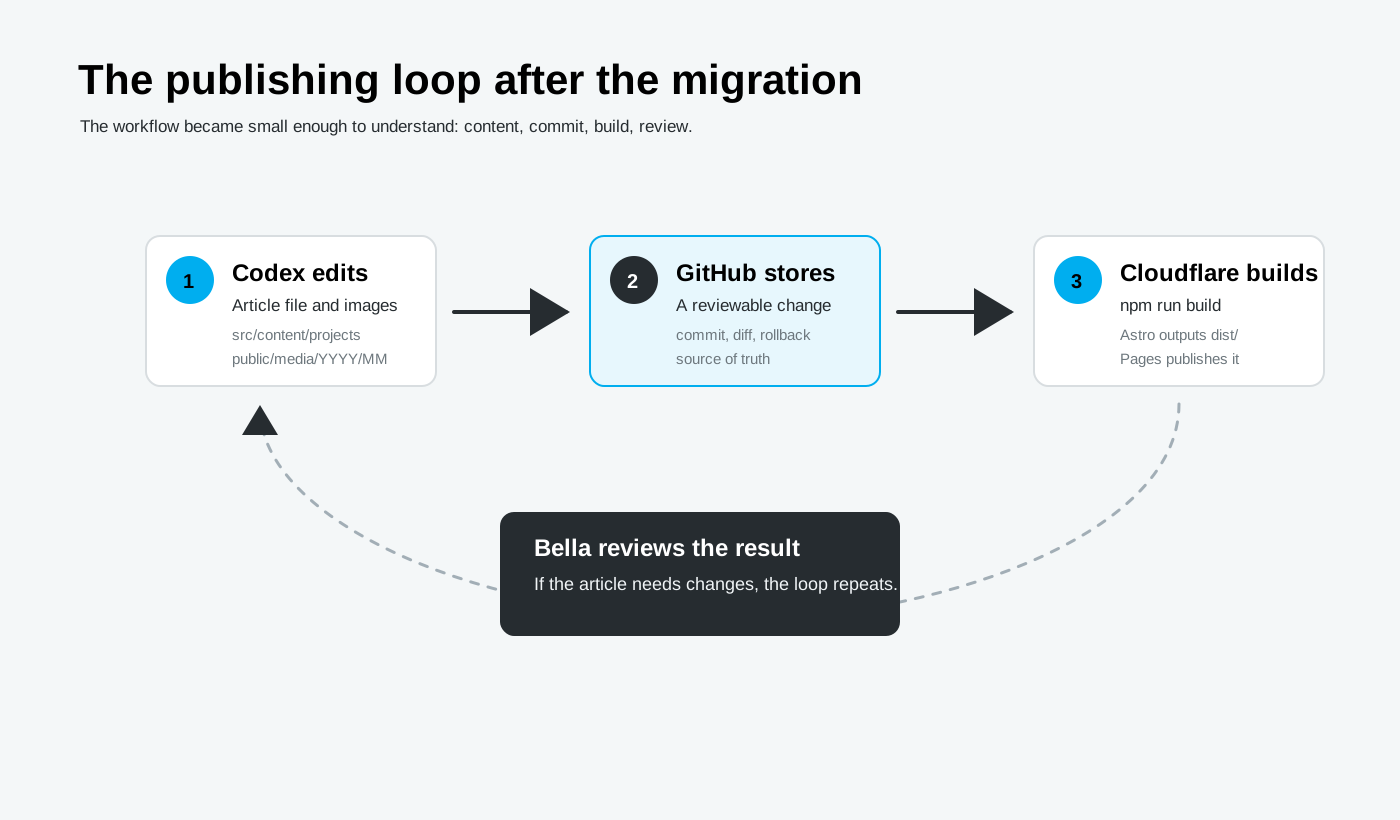
Codex is useful here because the project is made of ordinary files. A new article can be drafted in src/content/projects, its visuals can be saved under public/media/YYYY/MM, and the build can be checked before the change is committed and pushed. GitHub records the change; Cloudflare publishes it.
After the Cloudflare version was live for a day, the AWS side no longer had a job. Cost Explorer was used to confirm the charges, Resource Explorer was used to find active resources across regions, the old compute and storage pieces were removed, and the AWS account was closed because it existed only to support this retired hosting setup. AWS keeps a 90-day post-closure period before permanent closure, which made closing the account cleaner than leaving an unused account open indefinitely.
Results
Before the migration, a small portfolio depended on WordPress, AWS hosting, and hidden account settings. After the migration, the public site comes from static files, visible content, and a build that can be repeated. The old $30 AUD/month AWS bill - $360 AUD/year - is gone for this static-site use case.
Project pages are content files. The old CMS is no longer needed for normal edits, and the article structure is easier to inspect because it lives in Git.
The migrated stylesheet is imported through the shared layout, so the project pages keep the WordPress-era typography, image spacing, table styling, header, and footer.
The domain gis.1photo.org now returns the new Astro site through Cloudflare. The build output remains dist, which matches the Cloudflare Pages Astro setup. Cloudflare documents Pages limits for the Free plan, including 500 builds per month, 100 custom domains per project, and 20,000 files per site, which is far more than this small portfolio needs.
After the new site had been checked, AWS Cost Explorer identified the remaining charges and AWS Resource Explorer helped find the resources that still existed across regions. The old hosting resources were removed, backups were kept outside AWS, and the account was closed because it no longer served any other project.
Summary
This project looks like a hosting migration, but the more useful result is ownership. The portfolio is now small enough to understand again. A new project article is a file and a few images. A build creates the site. Cloudflare serves it. GitHub records what changed.
The finished system has fewer places to forget about: no WordPress admin panel, no virtual server, no unused AWS account, and no monthly AWS bill. The portfolio can keep living without dragging a CMS server behind it.